Deepcrawl has become a key tool in enterprise SEO, celebrated for its ability to handle large-scale website crawling, complex site architectures, and critical SEO tasks such as site migrations.
Deepcrawl tracks over 250 distinct technical SEO metrics, ranging from metadata and structured data to internal link architecture and click-through performance. Its cloud-based infrastructure and comprehensive reporting features make it a powerful choice for agencies and large brands managing multiple complex sites. However, as the SEO technology market matures, many users are questioning the value proposition of Deepcrawl, particularly given its high subscription costs, often starting around £800 per month and overlap with more affordable competitors like Screaming Frog, OnCrawl, and JetOctopus.
An increasing number of users are seeking alternatives that provide comparable features such as scalability, change tracking, and technical reporting without paying huge price. This trend reflects a broader shift towards balancing feature-rich solutions with budget-conscious decision-making, prompting many SEO teams to re-evaluate their crawling tool stack.
Top 9 Deepcrawl alternatives
- Screaming Frog
- Oncrawl
- JetOctopus
- Sitebulb
- ContentKing
- Ahrefs site audit
- Botify
- Screaming frog
- Semrush site audit
Why Look for Deepcrawl Alternatives?
While Deepcrawl remains a popular choice for enterprise-level technical SEO, its high cost and overlap with other tools have prompted many users to explore alternatives. For smaller or mid-sized sites—or even larger sites where budgets are tight—Deepcrawl’s advanced features and high price point may not align with actual business needs. In many cases, affordable tools like Screaming Frog, OnCrawl, and JetOctopus can perform similar essential tasks—such as crawling, reporting, and change tracking—without the significant financial commitment.
As the SEO landscape evolves, with more emphasis on continuous monitoring and automation, many professionals are seeking tools that offer a balance between functionality and cost-effectiveness. This shift highlights the importance of evaluating alternatives that can deliver the necessary insights without exceeding budget constraints.
Criteria for Selecting Deepcrawl Alternatives
When selecting a Deepcrawl alternative, it’s crucial to evaluate several factors to ensure the tool meets the technical and operational needs of your website or agency:
1. Scalability:
Ensure the tool can handle the size and complexity of your site(s) without performance issues, especially if managing large enterprises with tens or hundreds of thousands of URLs.
2. Affordability:
Consider whether the tool’s pricing structure aligns with your budget, and whether the value it offers justifies the expense compared to competitors.
3. Cloud-Based vs. Local Crawling:
Decide whether you need the flexibility and power of cloud-based crawling (offloading heavy processing) or if a local, desktop-based crawler will suffice, especially for ad hoc audits.
4. Reporting and Change Tracking:
Look for features that enable detailed technical reports, export options, historical snapshots, and change monitoring to support continuous site health analysis.
5. Task Management and Integrations:
For agencies and teams managing multiple clients, consider whether the tool supports task tracking, alerts, and integrations with project management systems or data visualization platforms.
6. Ease of Use and Configuration:
Evaluate whether the tool is intuitive to set up and use, or whether it requires extensive training and configuration to extract meaningful insights.
7. Support and Community:
Check for robust customer support, documentation, and an active user community that can help troubleshoot issues and provide best practices.
Deepcrawl Overview
DeepCrawl is a cloud-based enterprise-grade website crawler and technical SEO platform that performs in-depth site audits, monitors website health, and uncovers optimization opportunities. It’s renowned for its ability to handle millions of URLs at scale, providing actionable visualizations, trend tracking, and robust integrations with analytics platforms.
Known For
- High-scale crawling and monitoring: Handles large and complex websites effortlessly.
- Insightful visual reporting: Dashboards simplify discovering issues and prioritizing fixes.
- Automated alerts and trend tracking: Monitors site health over time with alerting and regression alerts.
Key Features
- SEO Auditing and Monitoring: Live alerts, full technical audits, change tracking.
- Content and Link Analysis: Detects broken links, duplicate content, schema, and hreflang issues.
- Custom Reporting and Visuals: White-label reports, dashboards, data exports, API access.
- Scalable Crawls: Supports millions of URLs, scheduled crawls, stealth crawling, and parameter testing.
- Integrations: Connects with Google Analytics, Search Console, Data Studio, Jira, Zapier, and more.
- Generative AI Tools: AI-powered text summarization and content generation.
Best For
- Enterprise and large websites: Designed for indexing complex sites with high URL counts.
- Agencies and SEO teams: Supports client site monitoring, task assignment, and white-label reporting.
- Data-driven marketers: Offers trend tracking, alerts, and metrics for SEO performance over time.
Pricing:
Deepcrawl (Lumar) doesn’t show pricing openly in website. But based on our research, we found the below pricing plans.
- Starter: $89/month (annual billing) — covers up to 100,000 URLs and 5 projects.
- Basic: $139/month — supports approximately 200,000 URLs.
- Enterprise/Tailored Plans: Custom pricing based on scale and needs. For example, crawling over 1 million URLs could cost between $30,000 and $100,000 per year.
- Month-to-month option: Around $89/month, with discounts for annual subscriptions.
Customer Reviews and Feedback
Positives
- Visual clarity and insights: “The best thing is how it visually presents the results of crawls; the dashboard is much clearer than an Excel export.”
“Lumar has become an indispensable tool” — appreciated for effortless visualization. - Usability: Intuitive and quick to launch crawls, even for non-technical users.
- Robust integrations and automation: API access from basic plans, plus connections to major tools.
Challenges
- Costly for small/medium sites: “It is really expensive when compared to its competitors.”
- Resource and credit concerns: Users recommend closely monitoring crawl credit usage.
- Performance and speed: Some users report slow crawl refreshes for large-scale jobs.
- Steep learning curve: Initial setup and interpreting deep reports can take time.
Real world insights
- One user cited costs for crawling over a million URLs at $30,000–$100,000 per year but noted that similar capabilities were built in-house for just $15,000.
- Another agency user commented that DeepCrawl “does nothing that Screaming Frog can’t do,” though acknowledged its scale and automation advantages
USP (Unique Selling Proposition)
Deepcrawl’s unique selling proposition is its scalability and automation in technical SEO auditing for large and complex websites. It stands out with its ability to crawl millions of URLs, provide comprehensive visual dashboards, and integrate seamlessly with enterprise workflows. Its automation features, including trend tracking, alerts, and collaborative reporting, set it apart from smaller, less scalable SEO crawlers.
Primary Use Case of Deepcrawl:
DeepCrawl is primarily used for large-scale technical SEO audits and ongoing site health monitoring for enterprise-level websites. It’s designed for organizations that need to monitor website structure, fix critical technical issues (like broken links, duplicate content, and indexability), and manage SEO health at scale—making it invaluable for SEO teams, digital agencies, and large e-commerce or content-heavy websites.
Pros and Cons of Deepcrawl
Pros:
1. Handles Large Scale Crawls Efficiently
Capable of crawling tens of thousands to millions of URLs, Deepcrawl excels in scenarios where other tools struggle with scale.
2. Cloud Infrastructure:
Offloads processing to cloud servers, removing the need for local computing power or RAM-intensive setups.
3. Ideal for Site Migrations:
Enables pre- and post-migration tracking, giving SEO teams clear visibility into how URLs and technical issues evolve during migrations.
4. Comprehensive Reporting and Export Options:
Offers in-depth technical reports, including change tracking, export capabilities, and historical snapshots, all useful for monitoring site health over time.
5. Enterprise Features:
Built-in task tracking, compare functions, and alerting systems provide robust support for large teams and agencies.
6. Flexible Crawling Configuration:
Allows for precise control over what is crawled, enabling targeted technical audits and data collection.
Cons:
High Subscription Cost:
Starting prices around £800/month make Deepcrawl one of the more expensive crawlers on the market, often seen as too costly for many users.
2. Redundant Features for Some Users:
Key features overlap with less expensive alternatives like Screaming Frog or OnCrawl, which can offer similar functionality at a fraction of the cost.
3. Overkill for Small to Mid-Sized Sites:
Sites with fewer pages or simpler technical requirements may not need Deepcrawl’s advanced capabilities.
4. Learning Curve and Complexity:
Requires configuration and ongoing optimization to get the most value, which can be daunting for smaller teams or less technical users.
5. Skepticism About Certain Features:
Some users feel features like log file analysis add little practical value relative to the investment required.
Top 9 Deepcrawl Alternatives
Here are some of the most commonly recommended alternatives to Deepcrawl, based on real-world feedback from SEO professionals:
- Screaming Frog: A versatile and affordable desktop-based crawler that, when configured properly, can handle surprisingly large sites—especially when paired with cloud computing setups. Ideal for ad hoc audits and targeted technical investigations.
- OnCrawl: A cloud-based crawler known for its affordability and strong reporting capabilities, making it a popular choice among large site owners and agencies seeking enterprise-level features at a lower cost.
- JetOctopus: Another cloud-based alternative praised for its competitive pricing and robust technical crawling features, offering features like log analysis and change tracking.
- Sitebulb: A desktop-based solution with an intuitive interface, excellent audit features, and a reputation for balancing depth of analysis with usability—often recommended for smaller to medium-sized sites or agencies.
- ContentKing: Specializes in real-time monitoring and change tracking, offering unparalleled visibility into site updates and technical issues—particularly useful for sites undergoing frequent updates or changes.
- Ahrefs Site Audit: Initially overshadowed by its competitors, Ahrefs’ crawler has improved significantly and now offers robust features for international SEO and large site architectures, making it a viable alternative for many users.
- Botify: Although usually even more expensive than Deepcrawl, Botify is an advanced enterprise solution offering comprehensive crawling, analytics, and recommendation features, often considered by the largest websites and agencies.
- Screaming Frog: Screaming Frog (desktop-based) is used for fast, on-demand technical SEO audits, analyzing website structure, links, and metadata to identify and fix on-page issues.
- Semrush Site Audit: SEMrush Site Audit is a comprehensive website health checker that identifies technical SEO issues and offers prioritized fixes for improved search engine visibility.
1. Screaming Frog Overview
Known For:
Key Features:
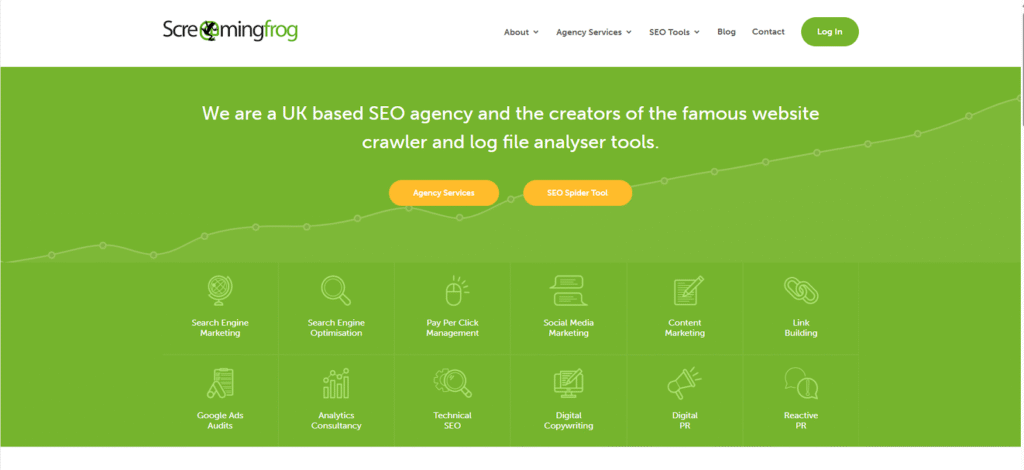
Screaming Frog is known as the most versatile, reliable desktop-based website crawler. It’s a go-to tool for technical SEO audits, site migrations, ad hoc crawls, and granular on-page analysis. It’s often praised for its flexibility, speed, and affordability—especially for small to mid-sized sites and agencies.
- Custom Crawls: Highly configurable, with advanced settings for controlling which URLs to crawl (e.g. including/excluding certain parameters).
- Duplicate Content Analysis: Finds duplicate pages, titles, and meta descriptions.
- Broken Link Checker: Identifies 404s and other status code issues.
- Redirect Chain Analysis: Maps complex redirect chains and loops.
- Sitemap Generation: Builds XML sitemaps and image sitemaps.
- JavaScript Rendering: Can crawl JavaScript-based sites.
- Data Exports: Exports to CSV, Excel, or Google Sheets for further analysis.
- Custom Extraction: Allows regex or XPath-based scraping of custom data from pages.
- Integrations: Connects to Google Analytics, Search Console, PageSpeed Insights, and APIs.
- Cloud-based Options: Though primarily desktop, can be set up on cloud servers or virtual machines for large crawls.
Pros:
- Highly Flexible: Lets users configure crawls exactly to their needs—perfect for ad hoc tasks, small-to-medium-sized websites, or site sections.
- Cost-Effective: A one-time annual fee with no URL limits makes it very budget-friendly compared to enterprise platforms.
- Lightning Fast for Smaller Sites: Users frequently mention that 10,000-page sites or even moderately large sites can be crawled quickly on a modern machine with SSD storage.
- Excellent for SEO Migrations: Handles pre- and post-migration checks with ease.
- Local Control: Data stays on your machine, which is beneficial for privacy-conscious teams.
- Custom Extraction Capabilities: For gathering bespoke data from HTML or JSON.
Cons:
- Machine-Dependent: Performance is tied to local hardware—limited by available RAM, CPU, and disk speed.
- Manual Setup Required: Scheduling, archiving, and trend tracking need to be manually implemented; no native historical comparison or cloud-based automation.
- No Continuous Monitoring: Unlike platforms like Deepcrawl or ContentKing, Screaming Frog doesn’t offer real-time monitoring or alerts—crawls must be triggered manually.
- Not Ideal for Very Large Sites: For very large or complex sites (millions of URLs), it may require setting up on AWS or a high-spec local machine, which can be cumbersome.
- Lacks Advanced Reporting: No built-in collaborative dashboards or white-label reports for client sharing.
Best For:
- SEO Agencies and Freelancers: Ideal for on-demand audits, ad hoc tasks, and one-off SEO troubleshooting.
- Technical SEOs: Who want granular control and customization over every aspect of a crawl.
- Small to Medium Websites: Perfect for sites with tens of thousands of pages or less.
Pricing & Customer Reviews:
Pricing:
Free Version: Crawl up to 500 URLs per crawl
- Includes basic features like broken links/redundant content checks, XML sitemap generation, meta-data analysis, etc.
Paid License (annual, per user):
- £199 (approx. $259 / €245) per year
- Removes crawl limit (subject to hardware capability)
- Unlocks advanced features like saving and reopening crawls, scheduling, JavaScript rendering, Google Analytics/Search Console/PageSpeed integrations, custom extraction, AMP & structured-data support, spell-check, crawl comparisons, and more.
Bulk Licensing Discounts:
- 1–4 licenses: £199 each/year
- 5–9 licenses: £189 each/year
- 10–19 licenses: £179 each/year
- 20+ licenses: £169 each/year
- Customer Reviews (G2 & others):
- Positive Feedback:
- “Indispensable for quick audits and rapid insights.”
- “The best bang-for-buck SEO tool on the market.”
- “Super flexible, so many ad hoc tasks I can do in minutes.”
- “Indispensable for quick audits and rapid insights.”
- Negative Feedback:
- “Limited by my machine’s RAM; can’t handle very large sites without a big upgrade.”
- “No scheduling or historical trend tracking—manual comparisons are a pain.”
- “Steep learning curve initially, but worth the time investment.”
- “Limited by my machine’s RAM; can’t handle very large sites without a big upgrade.”
- Positive Feedback:
Screaming Frog vs Deepcrawl: Summary
While both tools offer powerful crawling capabilities, they cater to different use cases and business needs. Screaming Frog is a desktop-based tool known for its flexibility, affordability, and ad hoc capabilities. It’s perfect for on-demand audits, small to medium websites, and technical SEOs who want granular control. It’s fast and highly customizable but lacks built-in trend tracking, cloud-based scheduling, and automated alerts—making it more of a tactical tool rather than a strategic, enterprise-level platform.
Deepcrawl, on the other hand, is designed for large-scale enterprise websites, offering cloud-based crawling, historical change tracking, collaborative dashboards, automated monitoring, and easy integrations. It’s better suited for continuous SEO health monitoring and technical change management across large websites. While Screaming Frog can technically handle large sites with enough hardware, Deepcrawl’s cloud architecture and reporting features give it the edge for complex, multi-site operations.
In short, Screaming Frog shines in hands-on, affordable SEO audits, while Deepcrawl excels in ongoing technical SEO management for large, complex sites. Many agencies and in-house teams use both tools together—Screaming Frog for targeted tasks and Deepcrawl for continuous oversight and reporting.
2. Oncrawl Overview

Known for:
Oncrawl is known for its powerful enterprise-grade technical SEO crawling combined with log file analysis, making it ideal for large, complex websites that need to understand crawl behavior, technical issues, and search engine bot performance at scale. It’s often praised as a solid alternative to more expensive platforms like Botify, with deep insights for mid- to large-size websites.
Key features:
- Cloud-based crawling: Handles massive sites with ease—no local machine limitations like RAM or disk space issues that can hamper Screaming Frog on very large websites.
- Log file analysis: Offers insights into how search engine bots interact with your site, identifying crawl waste, orphan pages, and crawl budget inefficiencies (though some users question how essential log file analysis really is for most sites).
- Custom segmentation and dashboards: Allows users to slice data by site sections, device type, or user-agent—helpful for pinpointing specific SEO issues.
- Data blending: Combines crawl data with analytics, search console, and other data sources for more comprehensive insights.
- Historical comparisons: Useful for tracking changes over time, monitoring technical fixes, or analyzing migrations.
Pros:
- Handles large, complex websites with hundreds of thousands of URLs.
- Offers granular insights into crawl behavior and SEO health.
- More affordable than Botify—users report quotes around £200/month ($250/month USD) compared to Botify’s £2,000/month ($2,500/month USD).
- Strong at trend analysis (historical tracking) for migrations and continuous monitoring.
- Highly customizable with segmentation and advanced data integration.
Cons:
- Steep learning curve compared to simpler tools like Screaming Frog or ContentKing.
- Some users feel log file analysis is overhyped, especially for sites where logs rarely reveal game-changing issues.
- Still relatively expensive compared to desktop-based crawlers (like Screaming Frog), making it less accessible for smaller businesses or freelancers.
- Users sometimes report interface complexity that can slow down onboarding.
Best for:
- Enterprise or large mid-sized websites with complex architecture or migrations.
- Agencies managing multiple large clients who need detailed crawl insights and historical change tracking.
- Teams that want advanced data blending with analytics and search console data.
- SEOs looking to integrate crawl analysis with log files for more comprehensive bot behavior analysis (though some may question its ROI).
Pricing & Customer Reviews:
- Pricing: Though Oncrawl doesn’t openly mention pricing on their website, here’s what we found from our research.
- Explorer Plan
- Approx. €49/month (around £43)
- Basic crawling features, limited functionality
- Does not include advanced capabilities like JavaScript crawling or log analysis
- Business Plan
- Approx. €199/month (around £170)
- Includes enhanced features suitable for mid-size to larger websites
- Enterprise (“Infinite & Beyond”)
- Custom pricing based on requirements
- Tailored for large, complex SEO and crawling needs
- Explorer Plan
- Customer Reviews:
- Users appreciated the price-to-value ratio compared to Botify.
- Some reviews noted that Oncrawl was effective at tracking changes, analyzing migrations, and offering segmentation, while cautioning that its log analysis might not always deliver high ROI.
- Generally positive for its enterprise features, though users acknowledged a learning curve and recommended demoing the tool before purchase.
- Users appreciated the price-to-value ratio compared to Botify.
Oncrawl vs. Deepcrawl (Lumar):
Both Oncrawl and Deepcrawl cater to enterprise-level SEO needs with cloud-based crawling and strong reporting, but they differ in strengths:
- Oncrawl is praised for its granular data segmentation, advanced historical comparisons, and integration of log file analysis—great for SEOs who want deep technical insights and segmentation.
- Deepcrawl (Lumar) is noted for being more user-friendly, with easier onboarding and straightforward task management—excellent for migrations and ongoing site audits.
- Pricing: Oncrawl is typically more affordable, with users reporting around £200/month ($250 USD), while Deepcrawl’s entry-level pricing starts higher (£800/month or ~$1,000 USD). (Pricing based on our research)
- Use cases: Oncrawl is best for highly technical SEOs who want to dig deep into logs and segment crawls; Deepcrawl is better for teams wanting easier-to-use dashboards and simpler migration analysis.
- Log analysis: Oncrawl’s log file analysis is a key differentiator, though some users question its overall necessity. Deepcrawl focuses more on crawl health and issue prioritization.
3. Jetoctopus Overview

Known for:
Jetoctopus is known for being a cloud-based, affordable, and easy-to-use web crawler with features that cater to both technical SEOs and agencies. It’s especially recognized for its budget-friendly pricing and rapid deployment, making it popular among teams looking for powerful crawling at a fraction of the cost of enterprise solutions like Botify or Deepcrawl.
Key features:
- Cloud-based crawling: Handles large sites without putting a strain on local machines, unlike desktop-based crawlers like Screaming Frog.
- Log file analysis: Allows users to analyze bot activity and crawling behavior alongside standard site audits.
- Data visualization: Offers interactive dashboards and charts for quick insights into technical SEO issues.
- SEO audit modules: Covers areas like duplicate content, orphan pages, status codes, and page depth.
- Integration with Google Search Console and Google Analytics: Blends crawl data with user and traffic data to identify SEO opportunities and issues.
- Crawl comparison: Useful for tracking changes between different site versions or after migrations.
Pros:
- Budget-friendly compared to other enterprise crawlers—often praised as a “value for money” solution.
- Easy to set up and intuitive interface, reducing onboarding time compared to more complex tools like Oncrawl or Deepcrawl.
- Handles large websites effectively with customizable crawl settings and segmentation.
- Good for monitoring key SEO KPIs alongside crawl data with Google integrations.
- Flexible reporting and export options for sharing insights with stakeholders.
Cons:
- Lacks some of the advanced data blending and segmentation features offered by higher-end tools like Oncrawl.
- The log file analysis module, while useful, is not as comprehensive as that offered by Oncrawl, and might not be necessary for smaller websites.
- Interface is generally user-friendly but may feel basic compared to highly visual tools like Sitebulb.
- Some users report occasional slowdowns on very large crawls or projects with extremely high URL counts.
Best for:
- Agencies and mid-sized businesses looking for a balance between power and affordability.
- SEOs who want cloud-based crawling without investing in more expensive enterprise platforms.
- Teams that want to integrate crawl data with Google Search Console and Analytics for actionable insights.
- Those seeking a reliable tool for site audits, orphan page detection, and technical SEO issue monitoring.
Pricing & Customer Reviews:
- Pricing:
- Starts around $1681/month for the base plan, scaling up based on features and crawl volume.
- Even the higher-tier plans remain more affordable than most competitors, including Deepcrawl and Oncrawl.
- Starts around $1681/month for the base plan, scaling up based on features and crawl volume.
- Customer Reviews:
- Users consistently highlight Jetoctopus’s value for money, ease of use, and quick deployment.
- Many reviewers appreciate the integration with Google data, though some note that the tool might lack depth in segmentation and log analysis compared to higher-priced alternatives.
- Overall, Jetoctopus is praised as a solid choice for agencies and in-house SEO teams on a budget.
- Users consistently highlight Jetoctopus’s value for money, ease of use, and quick deployment.
Jetoctopus vs. Deepcrawl (Lumar):
Both Jetoctopus and Deepcrawl cater to cloud-based crawling, but they differ in feature depth, pricing, and focus areas:
- Jetoctopus shines as a budget-friendly solution with a user-friendly interface and solid integrations with Google data—great for quick audits and basic technical analysis.
- Deepcrawl (Lumar) offers a more advanced suite of features, including stronger support for enterprise-scale site migrations, customizable task management, and robust historical reporting.
- Pricing: Jetoctopus is significantly more affordable, starting at around $100/month, while Deepcrawl’s entry-level pricing typically starts at $800/month or more.
- Use cases: Jetoctopus is ideal for small to mid-sized sites, agencies, and those on a tight budget. Deepcrawl is better suited for large enterprise sites requiring extensive technical audits, migration support, and task tracking.
- Log analysis: Both offer log file modules, but Deepcrawl’s implementation is generally considered more advanced. For users who don’t need heavy-duty log file insights, Jetoctopus might be a more cost-effective choice.
4. Sitebulb Overview

Known for:
Sitebulb is a powerful, desktop-based website crawler popular among SEOs for its user-friendly interface, visual reports, and granular insights. It’s especially well-regarded for technical SEO audits, prioritizing actionable recommendations, and its accessibility for both freelancers and agencies.
Key features:
- Desktop-based crawler: Runs locally on your machine, allowing for customizable crawls without relying on cloud infrastructure.
- Highly visual reports: Sitebulb is renowned for its intuitive, easy-to-digest visualizations that make technical issues easy to identify and explain to clients or stakeholders.
- Audit scores and prioritization: Helps users focus on the most critical SEO issues first, using weighted scores and severity levels.
- Hreflang analysis: Advanced capabilities for auditing international SEO implementations.
- Crawl comparison: Allows users to track changes between audits—great for monitoring progress or assessing site migrations.
- Structured data and AMP audits: Checks for correct implementation of rich snippets and mobile-friendly formats.
Pros:
- Easy to use with a short learning curve, making it perfect for consultants, freelancers, and small agencies.
- Excellent at visualizing crawl data, helping bridge the gap between technical SEO and client communication.
- Affordable pricing for single or multi-user licenses, with no steep enterprise costs.
- Flexible and customizable crawl settings to suit different use cases, including JavaScript rendering.
- Strong on-site audit capabilities and reliable export options.
Cons:
- Being desktop-based, it depends on local machine resources—RAM and CPU limitations can hinder performance on extremely large sites.
- No true cloud crawling: not ideal for very large websites (millions of pages) unless combined with additional infrastructure or cloud setups.
- Limited in collaborative features compared to cloud-based platforms like Oncrawl and Deepcrawl.
- Manual scheduling of crawls and data storage required—less seamless for ongoing, continuous monitoring.
Best for:
- Small to medium-sized websites where local crawling is feasible.
- Agencies, freelancers, and consultants who value strong visual reporting and easy-to-understand insights.
- SEOs who need to audit site structure, hreflang, AMP, and structured data comprehensively.
- Teams looking for affordable but powerful desktop-based crawling and reporting tools.
Pricing & Customer Reviews:
- Pricing:
- Starts at approximately $18/month (Lite) with essential features.
- Pro plan at approximately $42/month includes unlimited projects, JavaScript crawling, crawl comparisons, and other advanced features.
- Annual plans offer discounts.
- Starts at approximately $18/month (Lite) with essential features.
- Customer Reviews:
- Highly praised for its user-friendly interface and actionable insights.
- Users consistently note the value of its visual reports and the ease of explaining technical issues to non-technical stakeholders.
- Some users report occasional performance bottlenecks on very large crawls, but overall consider it an indispensable tool for technical SEO audits.
- Highly praised for its user-friendly interface and actionable insights.
Sitebulb vs. Deepcrawl (Lumar):
Sitebulb and Deepcrawl serve similar purposes—site auditing and technical SEO insights—but differ significantly in architecture and target audiences:
- Sitebulb is desktop-based, meaning it’s tied to local computing power, while Deepcrawl is fully cloud-based, handling large sites more efficiently.
- Deepcrawl offers enterprise-level collaboration, task tracking, historical reporting, and migration monitoring that Sitebulb doesn’t natively support.
- Pricing: Sitebulb is much more affordable, with plans starting at around $18/month, compared to Deepcrawl’s entry-level pricing around $800/month.
- Use cases: Sitebulb is ideal for smaller to mid-sized sites, freelancers, and agencies looking for strong on-site analysis and visuals. Deepcrawl is better suited for large enterprise sites needing ongoing monitoring, collaboration, and task management.
- Reporting: Sitebulb’s visual reporting is often cited as a standout feature, making it easier to present findings to clients or teams, while Deepcrawl focuses on enterprise-level dashboards and integrations.
5. ContentKing Overview
Known for:
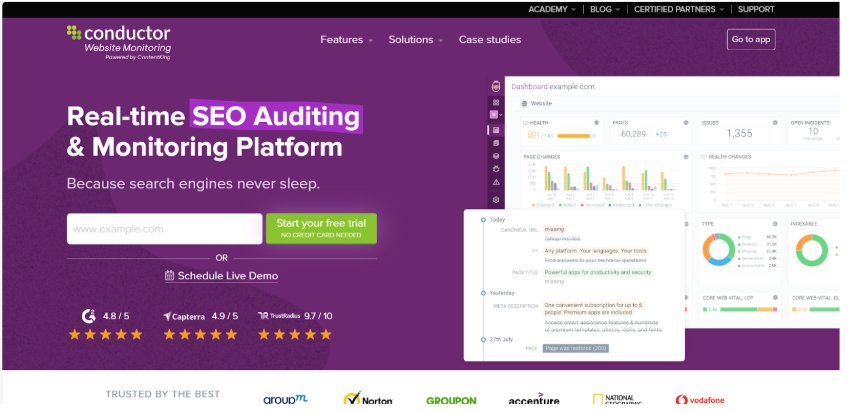
ContentKing is a real-time SEO auditing and monitoring platform designed to catch site changes instantly and help teams react quickly. It stands out for its continuous crawling and change tracking, which makes it a unique tool compared to traditional site crawlers that operate on scheduled crawls.
Key features:
- Real-time monitoring: Continuously crawls your site and instantly alerts you to important changes like broken links, meta data changes, or sudden noindex tags.
- Visual change tracking: Keeps a historical record of all site changes, making it easy to pinpoint when a problem occurred and who made it.
- Automated change detection: Alerts you immediately if a critical SEO element changes.
- Collaboration-friendly: Enables sharing of issues and audit results across teams and clients, improving communication between SEO, dev, and content teams.
- Page-level analytics: Combines technical SEO insights with content performance, helping SEOs prioritize optimizations.
- Integrations: Connects with Slack, Jira, Google Analytics, and other popular tools.
Pros:
- Continuous monitoring ensures issues are caught in real time rather than days or weeks later.
- Excellent for large, frequently updated sites where changes can slip through the cracks.
- Highly visual and easy to use, reducing the time to understand and act on insights.
- Ideal for agencies or in-house teams needing to demonstrate accountability and show a clear record of site changes.
- Strong integrations with project management and analytics platforms.
Cons:
- Less robust in terms of deep technical crawling compared to traditional crawlers like Screaming Frog or Deepcrawl.
- Cloud-based only—no local crawling option, which might be limiting for some workflows.
- Pricing can get expensive at scale, especially for larger teams managing multiple domains.
- No advanced log file analysis or complex JavaScript crawling compared to some enterprise competitors.
- Limited custom crawl scheduling—monitoring is continuous but sometimes lacks flexibility for ad hoc Deepcrawls.
Best for:
- Sites with frequent content or structural changes that need real-time monitoring.
- Agencies or teams that want to track accountability for technical SEO changes and updates.
- Businesses where collaboration between SEO, dev, and content teams is key.
- Mid-sized to large sites that benefit from proactive issue detection and continuous auditing.
Pricing & Customer Reviews:
- Pricing:
- Based on our research, plans typically start around $139/month, depending on the number of pages and features included.
- Pricing can scale based on domain size and additional features.
- Custom enterprise plans available for larger sites and agencies.
- Based on our research, plans typically start around $139/month, depending on the number of pages and features included.
- Customer Reviews:
- Highly praised for its continuous monitoring and real-time alerts, which are considered game-changing for catching sudden issues.
- Users love the historical change tracking and the platform’s ability to provide transparency and accountability.
- Some users note that it’s not as deep or customizable for crawling highly complex sites as enterprise crawlers like Deepcrawl or Botify, but it excels at what it’s designed to do—monitoring and change detection.
- Highly praised for its continuous monitoring and real-time alerts, which are considered game-changing for catching sudden issues.
ContentKing vs. Deepcrawl (Lumar):
While both platforms provide site auditing and monitoring, they cater to different needs:
- ContentKing specializes in continuous, real-time monitoring of website changes, while Deepcrawl is primarily focused on comprehensive, scheduled site crawls.
- Deepcrawl offers more advanced enterprise features like task tracking, log file analysis, and deep integration with other marketing data. ContentKing is geared towards real-time change detection, making it perfect for sites where things change often.
- Pricing: ContentKing’s pricing starts at around $139/month, while Deepcrawl typically starts around $800/month, depending on the scale and enterprise features.
- Use cases: ContentKing is ideal for teams that want to catch changes before they affect performance, while Deepcrawl is better for deep technical SEO audits and historical site health analysis.
- Reporting: ContentKing’s visual change tracking is a major plus, making it easy to identify when and where issues appeared—something Deepcrawl doesn’t emphasize as strongly.
6. Ahrefs Site Audit Overview

Known for:
Ahrefs Site Audit is part of the larger Ahrefs suite and is known for providing an intuitive, easy-to-use SEO auditing tool with a focus on technical SEO insights and integration with Ahrefs’ comprehensive backlink and keyword data. It’s a popular choice for SEOs who already rely on Ahrefs for link analysis and keyword research.
Key features:
- Cloud-based crawler: Runs from Ahrefs’ servers, so it doesn’t rely on local machine resources.
- Crawl settings: Customizable crawls with options for JavaScript rendering, user-agent selection, and page inclusion/exclusion.
- Health Score: A simple, visual overview of a site’s technical health with prioritized issue reports.
- Detailed issue reports: Covers broken links, redirects, duplicate content, slow pages, mobile SEO, and more.
- Integration with Ahrefs’ backlink data: Provides additional context for SEO recommendations by linking to relevant backlink profiles and keyword data.
- Scheduling and historical comparison: Allows for easy tracking of site changes over time.
Pros:
- Easy to set up and use, especially for those familiar with the Ahrefs interface.
- Integrated with Ahrefs’ keyword and backlink data, offering a holistic view of SEO performance.
- Great for identifying common technical issues like broken links, redirect chains, and canonical problems.
- Excellent visuals and easy-to-understand reports for quick issue identification.
- Affordable compared to some enterprise-level crawlers, especially since it’s bundled with Ahrefs’ plans.
Cons:
- Not as scalable or feature-rich as enterprise crawlers like Deepcrawl or Botify for very large or highly complex websites.
- Lacks advanced log file analysis and some of the granular crawl controls available in tools like Screaming Frog.
- JavaScript rendering is available but may not be as advanced as dedicated JavaScript crawlers.
- More geared towards general technical SEO auditing than deep enterprise site monitoring or large-scale crawling.
- Limited task management and collaboration features compared to platforms like Deepcrawl.
Best for:
- Small to mid-sized websites that need reliable, straightforward technical SEO audits.
- Agencies and freelancers already using Ahrefs for backlink or keyword analysis.
- SEOs who want a cloud-based solution that doesn’t require significant server resources.
- Sites where linking technical issues to keyword or backlink opportunities is important.
Pricing & Customer Reviews:
- Pricing:
- Included in Ahrefs’ main subscription plans, which start at around $29/month for the Lite plan. features.
- Site Audit usage depends on crawl credits, which vary by plan.
- Included in Ahrefs’ main subscription plans, which start at around $29/month for the Lite plan. features.
- Customer Reviews:
- Users appreciate the tool’s simplicity and integration with Ahrefs’ broader SEO suite.
- Praised for its clean visuals and health score that make quick checks easy.
- Criticized occasionally for lacking some advanced enterprise features like log file analysis and large-scale site crawling.
- Overall, users value it as a reliable, easy-to-use crawler for most SEO needs.
- Users appreciate the tool’s simplicity and integration with Ahrefs’ broader SEO suite.
Ahrefs Site Audit vs. Deepcrawl (Lumar):
While both tools provide site audits, they serve different use cases:
- Deepcrawl is an enterprise-level crawler designed for large-scale sites with complex architectures. It offers advanced features like task tracking, log file analysis, and customizable crawl scheduling.
- Ahrefs Site Audit is easier to use and integrates directly with Ahrefs’ powerful backlink and keyword tools, making it more of an all-in-one SEO suite.
- Pricing: Ahrefs Site Audit is included in standard Ahrefs plans, starting around $129/month. Deepcrawl typically starts at $800/month, scaling to thousands for large enterprises.
- Reporting: Deepcrawl offers more advanced reporting, workflow management, and historical crawl comparisons. Ahrefs Site Audit focuses on accessibility and ease of use, with less emphasis on collaborative features.
- Use cases: Ahrefs Site Audit is perfect for SEOs who need straightforward technical audits with a link to other SEO data, while Deepcrawl is better suited for enterprise clients managing multiple sites at scale.
7. Botify Overview

Known for:
Botify is an enterprise-level technical SEO platform that combines crawling, log file analysis, and performance data in a single suite. It’s particularly popular among large-scale websites and enterprises managing complex site architectures. Known for its robust analytics and recommendations, it’s often used by SEO teams looking for advanced insights beyond standard crawling.
Key features:
- Full-funnel SEO platform: Connects technical SEO with business metrics (traffic, conversions).
- Enterprise-scale crawler: Can handle millions of URLs, advanced JavaScript rendering, and supports dynamic sites.
- Log file analyzer: Helps understand how search engines are actually crawling the site versus how the site is structured.
- Keyword and ranking data integration: Correlates SEO performance with site structure and content.
- JavaScript crawling: Understands and renders JavaScript-heavy sites.
- Data visualization and dashboards: Customizable reports and dashboards with segmentation and filters.
- Task automation: Workflow tools for managing audits, fixes, and team collaboration.
- API access: Extensive API integrations for custom workflows.
Pros:
- Handles very large, complex websites with ease.
- Integrates crawl, log file analysis, and analytics for a comprehensive SEO view.
- Offers advanced data segmentation and filtering for tailored insights.
- Excellent for managing SEO at scale across multiple sites or very large enterprises.
- Known for strong customer support and onboarding for enterprise clients.
Cons:
- Very expensive compared to smaller-scale alternatives like Screaming Frog, Sitebulb, or Oncrawl.
- May be too complex or overpowered for smaller sites or those with simpler technical needs.
- Learning curve can be steep; requires training to fully leverage features.
- Requires significant budget allocation; often seen as a “luxury” tool in the SEO stack.
- Some users feel it overlaps too much with other enterprise analytics tools, making it hard to justify ROI if existing analytics are already in place.
Best for:
- Large, enterprise-level websites with millions of URLs and complex architecture.
- Companies that require in-depth technical SEO insights, including log file analysis and advanced JavaScript rendering.
- Teams looking to connect technical SEO performance to business outcomes like conversions and revenue.
- Organizations that prioritize team collaboration and process management in their SEO workflows.
Pricing & Customer Reviews:
- Pricing:
- Based on our research, typically starts around $2,000/month and can scale to $10,000+/month depending on the site size, complexity, and included features.
- Contract-based, with pricing tailored to enterprise needs.
- Based on our research, typically starts around $2,000/month and can scale to $10,000+/month depending on the site size, complexity, and included features.
- Customer Reviews:
- Users praise its ability to handle extremely large sites and its depth of analysis.
- Appreciated for connecting technical SEO to business metrics, which is useful for executive reporting.
- Criticized for its high cost and steep learning curve, which can make it overkill for smaller teams or simpler sites.
- Some reviewers note that while powerful, it requires significant commitment to get the most value.
- Users praise its ability to handle extremely large sites and its depth of analysis.
Botify vs. Deepcrawl (Lumar):
- Scale and features: Both are enterprise-level crawlers, but Botify goes a step further by integrating log file analysis and connecting crawl data to business outcomes. Deepcrawl focuses more on technical site health and change tracking.
- Pricing: Botify is significantly more expensive (starting around $2,000/month), while Deepcrawl typically starts at around $800/month and scales based on our research.
- Ease of use: Deepcrawl is praised for its user-friendly interface and task management features; Botify’s interface is more complex and may require more training.
- API and integrations: Botify offers extensive APIs and workflow automation; Deepcrawl has similar integrations but is generally considered simpler to get started with.
- Use cases: Botify is often chosen for massive enterprise sites with dedicated SEO teams and complex architecture; Deepcrawl can work well for both enterprise and high-end mid-market users.
- Recommendation: If budget allows and log file analysis plus business insights are crucial, Botify may be the best fit. For strong technical SEO at a lower cost, Deepcrawl offers similar core functionality with easier onboarding.
7. Screaming Frog Overview
Known for:
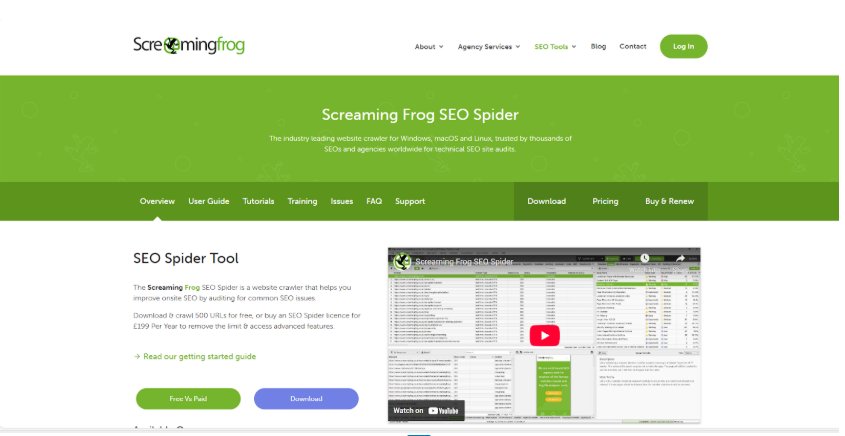
Screaming Frog SEO Spider is a highly popular, versatile website crawler used by SEO professionals to audit and analyze websites for technical SEO issues. Known for its flexibility, speed, and affordability, it’s a staple in most SEO toolkits, particularly for small and medium sites, but also frequently used on large sites with the right machine setup.
Key features:
- Crawling: Can crawl websites up to hundreds of thousands of URLs depending on machine specs.
- On-page SEO audits: Identifies broken links, duplicate content, redirect chains, metadata issues, canonical tags, and more.
- Custom extraction: Supports custom XPath, CSS Path, and Regex extraction for advanced audits.
- JavaScript rendering: Crawls and analyzes JavaScript-driven websites with headless Chrome integration.
- Integration: Connects with Google Analytics, Google Search Console, and PageSpeed Insights API for enriched data.
- Reports: Comprehensive exports, bulk analysis, and custom filters for segmenting data.
- Visualizations: Includes crawl graphs and directory trees to understand site architecture.
- Scheduling: Supports automated scheduled crawls and data extraction.
Pros:
- Affordable one-time annual license compared to enterprise-level platforms.
- Exceptionally versatile; widely used for quick audits, pre-launch checks, and in-depth SEO troubleshooting.
- Highly customizable with extensive configuration options.
- Fast and efficient on smaller to mid-sized sites; supports advanced use cases with custom scripts and integrations.
- Works offline and doesn’t require ongoing monthly costs.
Cons:
- Desktop-based, so crawl speed and scale depend on your machine’s RAM, CPU, and storage.
- For very large sites (millions of URLs), it may require cloud setups or high-end hardware.
- Lacks built-in change tracking or historical comparisons across crawls (requires manual setup and archiving).
- No built-in log file analysis; relies on separate tools or manual analysis for that functionality.
- Not as “plug and play” for enterprise-wide monitoring or team collaboration as some cloud-based platforms.
Best for:
- Small to mid-sized websites, agencies, and consultants handling technical SEO audits.
- Teams that need a flexible, powerful tool for ad hoc analysis and troubleshooting.
- Large sites can use it for targeted crawls or in combination with cloud setups for bigger jobs.
Pricing & Customer Reviews:
- Pricing :
- Based on our research around £245 per year per license
- No per-site or per-project fees; includes free updates for one year.
- Based on our research around £245 per year per license
- Customer Reviews:
- Universally praised for its affordability and flexibility.
- Highly rated for being the go-to tool for quick, reliable audits.
- Some users highlight that while powerful, it can be overwhelming for beginners due to its wide range of features.
- Technical users appreciate the advanced configuration options, but large enterprise sites often note the need for cloud setups or integration with other platforms for log file analysis and ongoing monitoring.
- Universally praised for its affordability and flexibility.
Screaming Frog vs. Deepcrawl (Lumar):
- Scale: Screaming Frog is limited by your machine’s specs, while Deepcrawl runs in the cloud, easily handling massive sites without local machine constraints.
- Change tracking: Deepcrawl excels at historical comparisons, scheduled audits, and tracking changes over time; Screaming Frog requires manual setup for versioning or third-party solutions.
- Collaboration: Deepcrawl offers team collaboration, dashboards, and task assignment; Screaming Frog is single-user unless coupled with external sharing solutions.
- Price: Screaming Frog is significantly more affordable at around $330 per year per license versus Deepcrawl’s starting cost of around $800 per month.
- Features: Screaming Frog focuses on flexibility and quick, deep technical audits, while Deepcrawl leans into monitoring, reporting, and enterprise workflows.
- Recommendation: For quick, deep dives into technical SEO, Screaming Frog is unbeatable. For ongoing enterprise-level monitoring and large-scale reporting, Deepcrawl is stronger.
8. SEMrush Site Audit Overview

Known for:
SEMrush Site Audit is a feature within the larger SEMrush SEO suite that allows users to crawl and analyze websites for technical SEO issues. It’s widely known for being part of an all-in-one SEO and marketing platform, which includes keyword research, backlink analysis, content optimization, and competitive research. SEMrush Site Audit is designed for accessibility and easy integration into broader digital marketing workflows.
Known for:
- Technical SEO audit: Checks for issues like broken links, crawlability, HTTP status codes, canonical tags, duplicate content, hreflang implementation, and more.
- Core Web Vitals: Measures site speed and performance issues impacting UX and rankings.
- Thematic reports: Offers visual reports for crawlability, site performance, HTTPS status, internal linking, and more.
- Prioritization: Highlights errors, warnings, and notices to help prioritize fixes.
- Integration: Connects with Google Analytics and Google Search Console for enriched data and validation.
- Custom rules: Allows users to tailor audit checks based on specific site needs.
- Monitoring: Can schedule crawls for ongoing site health tracking.
- Mobile and desktop auditing: Checks site health across device types.
Pros:
- Part of an all-in-one SEO suite; easy to integrate with other SEMrush tools like keyword research, backlink audits, and rank tracking.
- User-friendly interface; ideal for marketers who want quick insights without deep technical knowledge.
- Easy to set up scheduled crawls and monitor changes over time.
- Provides clear prioritization and actionable recommendations for fixing issues.
- Good for both technical audits and connecting SEO insights to content and marketing strategies.
Cons:
- Crawling capacity depends on your plan (number of pages per month and crawl speed).
- Not as granular or customizable as specialized technical audit tools like Screaming Frog or Deepcrawl.
- Limited support for advanced crawling scenarios like JavaScript-heavy sites compared to Screaming Frog or cloud-based tools.
- May struggle with very large or highly complex websites, especially on lower-tier plans.
- Not dedicated solely to crawling and auditing; some features feel surface-level compared to dedicated technical SEO platforms.
Best for:
- Small to mid-sized businesses and marketing teams who want an integrated tool for both technical SEO and overall marketing.
- Agencies looking for an all-in-one platform that can provide audits alongside keyword research, competitor analysis, and more.
- Users who need straightforward, easy-to-understand reporting rather than deep technical customization.
Pricing & Customer Reviews:
- Pricing:
- Based on our research, starts at around $139.95/month (Pro) with a limit of 100,000 pages per month.
- Higher tiers (Guru and Business) start at approximately $249.95/month and $499.95/month, respectively, offering higher page crawl limits and additional features.
- Based on our research, starts at around $139.95/month (Pro) with a limit of 100,000 pages per month.
- Customer Reviews:
- Praised for its ease of use and integration with broader SEMrush features.
- Users appreciate the straightforward prioritization of issues and the clear visuals in reports.
- Some reviewers mention that while excellent for smaller sites and marketing teams, it may lack the depth and customization power of tools like Deepcrawl or Screaming Frog for more complex technical SEO work.
- Users often note that for JavaScript-heavy or very large enterprise sites, other tools may be more appropriate.
- Praised for its ease of use and integration with broader SEMrush features.
SEMrush Site Audit vs. Deepcrawl (Lumar):
- Scale: Deepcrawl is purpose-built for large, complex sites with millions of URLs; SEMrush Site Audit’s crawl capacity is limited by the plan and best suited for small to mid-sized sites.
- Change tracking: Deepcrawl provides extensive historical comparison, versioning, and change tracking; SEMrush Site Audit offers basic monitoring but not at the same enterprise scale.
- Integration: SEMrush Site Audit is tightly integrated with the SEMrush ecosystem, enabling seamless keyword, content, and competitor analysis alongside technical audits. Deepcrawl focuses solely on crawling and integrates less tightly with other marketing tools.
- Price: SEMrush’s site audit starts at $139.95/month (100,000 pages/month) while Deepcrawl typically starts at $800/month, with higher pricing depending on scale.
- Features: Deepcrawl offers advanced segmentation, JavaScript rendering, and log file analysis; SEMrush’s focus is on accessible, actionable reporting rather than deep technical customization.
- Recommendation: For an all-in-one marketing tool with solid site auditing capabilities, SEMrush is great. For large enterprise sites requiring deep technical insights and change tracking, Deepcrawl is stronger.
How to Choose the Right Deepcrawl Alternative
Choosing the best Deepcrawl alternative depends on your website’s size, your team’s needs, and your budget. Here’s a step-by-step guide to help you make the right decision:
- Assess Your Site’s Scale and Complexity:
- If you manage a small to mid-sized site (e.g. under 100,000 pages), desktop-based tools like Screaming Frog or Sitebulb can be powerful and cost-effective.
- For larger, enterprise-level sites with millions of URLs, cloud-based platforms like Oncrawl, Botify, or JetOctopus are more scalable and offer advanced reporting.
- If you manage a small to mid-sized site (e.g. under 100,000 pages), desktop-based tools like Screaming Frog or Sitebulb can be powerful and cost-effective.
- Evaluate Core Features:
- Does the tool offer real-time monitoring (ContentKing) or primarily scheduled crawls (Oncrawl, Deepcrawl)?
- Do you need advanced JavaScript rendering? Check if the alternative supports dynamic content (e.g. Oncrawl, Botify, JetOctopus).
- Do you need log file analysis or integration with analytics tools? Some tools excel in connecting crawl data with real user behavior.
- Does the tool offer real-time monitoring (ContentKing) or primarily scheduled crawls (Oncrawl, Deepcrawl)?
- Consider Reporting and Ease of Use:
- If you’re part of a marketing team, look for a tool with user-friendly dashboards and clear prioritization of issues (SEMrush Site Audit, Ahrefs Site Audit).
- For technical SEO specialists, advanced segmentation and historical change tracking are key strengths in tools like Oncrawl and Deepcrawl.
- If you’re part of a marketing team, look for a tool with user-friendly dashboards and clear prioritization of issues (SEMrush Site Audit, Ahrefs Site Audit).
- Check Integration with Your Workflow:
- Does the tool integrate with your current stack (e.g. Google Analytics, Search Console, Data Studio)?
- Consider whether it fits your preferred workflow—do you want a standalone technical crawler or an all-in-one SEO suite (SEMrush, Ahrefs)?
- Does the tool integrate with your current stack (e.g. Google Analytics, Search Console, Data Studio)?
- Budget and ROI:
- Compare pricing carefully:
- Screaming Frog (desktop) is a one-time license fee (~£149/year).
- Oncrawl typically starts around $200/month (for smaller sites) to $1,000/month for enterprise sites.
- Botify can exceed $2,000/month for large sites.
- Screaming Frog (desktop) is a one-time license fee (~£149/year).
- Determine what ROI you expect—will the alternative save time, improve site health, or unlock insights you can’t get otherwise?
- Compare pricing carefully:
Conclusion:
Deepcrawl is an excellent enterprise-grade SEO crawling solution, but it’s not always the perfect fit for every team or budget. Fortunately, there are number of alternatives available that cater to different needs from affordable desktop crawlers like Screaming Frog and Sitebulb, to scalable, cloud-based solutions like Oncrawl, JetOctopus, ContentKing, and Botify. Each tool offers unique strengths, whether it’s real-time monitoring, advanced log analysis, or seamless integration with analytics platforms.
When selecting the best Deepcrawl alternative, factors like your site’s size, the features that align with your workflow, your team’s technical expertise, and budget should be considered. Testing multiple tools through free trials or demos is a smart way to identify which platform delivers the best value and insights for your SEO strategy.
FAQ
1. What are the best alternatives to Deepcrawl?
Answer: Top alternatives include Semrush, Ahrefs, Botify, Oncrawl, and Sitebulb.
Semrush offers a full SEO suite with integrated site audits.
Ahrefs complements technical crawling with link and keyword data.
Botify is a premium enterprise tool that connects crawl, log, and performance data.
Oncrawl excels in segmentation, log analysis, and crawl monitoring.
Sitebulb is a desktop crawler that balances customization with visual reporting.
2. Is there a free alternative to Deepcrawl?
While no platform matches Deepcrawl’s enterprise breadth for free, desktop tools like Screaming Frog (free up to 500 URLs) are widely used and supported by affordable paid versions. For ongoing monitoring, ContentKing offers paid continuous audit features but lacks a free tier.
3. Can Semrush or Ahrefs replace Deepcrawl?
Semrush and Ahrefs provide capable site audits within all-in-one SEO suites, making them good choices for small to mid-sized sites. However, they lack some enterprise-level features such as historical crawl tracking, robust log file analysis, and advanced segmentation that Deepcrawl provides.
4. How do Oncrawl and Deepcrawl compare?
Oncrawl and Deepcrawl both scale well for enterprise crawling. Oncrawl stands out in log file insights, segmentation, and lower pricing, while Deepcrawl offers easier setup, better task workflows, and user-friendly migration reports
5. What is the cheapest Deepcrawl alternative for large sites?
If you’re looking for enterprise-level crawling at a lower cost, tools like Oncrawl (around $250/month) or JetOctopus (starting near $100/month) are more budget-friendly than Deepcrawl (which can start around $800/month) or Botify (which often starts at $2,000/month or more).