The short answer: Claude Projects are workspaces where uploaded files (project knowledge) and written instructions apply to every chat inside them. For SEO and content teams, a project per client or brand holds what every draft must respect: brand voice, style rules, product and pricing facts, target keywords, existing URLs and compliance limits. Set up well, Projects stop teams explaining the brand again in every chat, keep one client’s information out of another’s work, and make drafts consistent across writers. Projects are available on all Claude plans, with larger knowledge capacity on paid plans and sharing on Team and Enterprise.
The difference between a generic AI draft and one that sounds like the brand is almost always context, not the model. Projects are where that context lives. This guide covers what Projects can hold, how to structure them for clients and teams, what to write in project instructions and knowledge, how to capture brand voice, and how Projects work alongside Skills and memory, with templates you can copy.
What are Claude Projects?
Claude Projects are self contained workspaces with their own chat history, knowledge base and instructions; anything uploaded to the project knowledge is used as context in every chat within it, and the instructions apply to all of those chats.
| Feature | What it does | Plans |
|---|---|---|
| Project knowledge | Files you upload (documents, text, code) used as context across all chats in the project (Claude Help Center) | All plans |
| Project instructions | Standing guidance on how Claude should behave and respond in every chat in the project | All plans |
| RAG for projects | When knowledge approaches the context limit, Claude switches to retrieving relevant passages, expanding capacity by up to 10 times (Claude Help Center) | Paid plans |
| Project memory | Each project keeps its own memory; you can stop it using your account memory | Where memory is enabled |
| Sharing | Share with colleagues as Can view or Can edit, or with the organisation | Team and Enterprise |
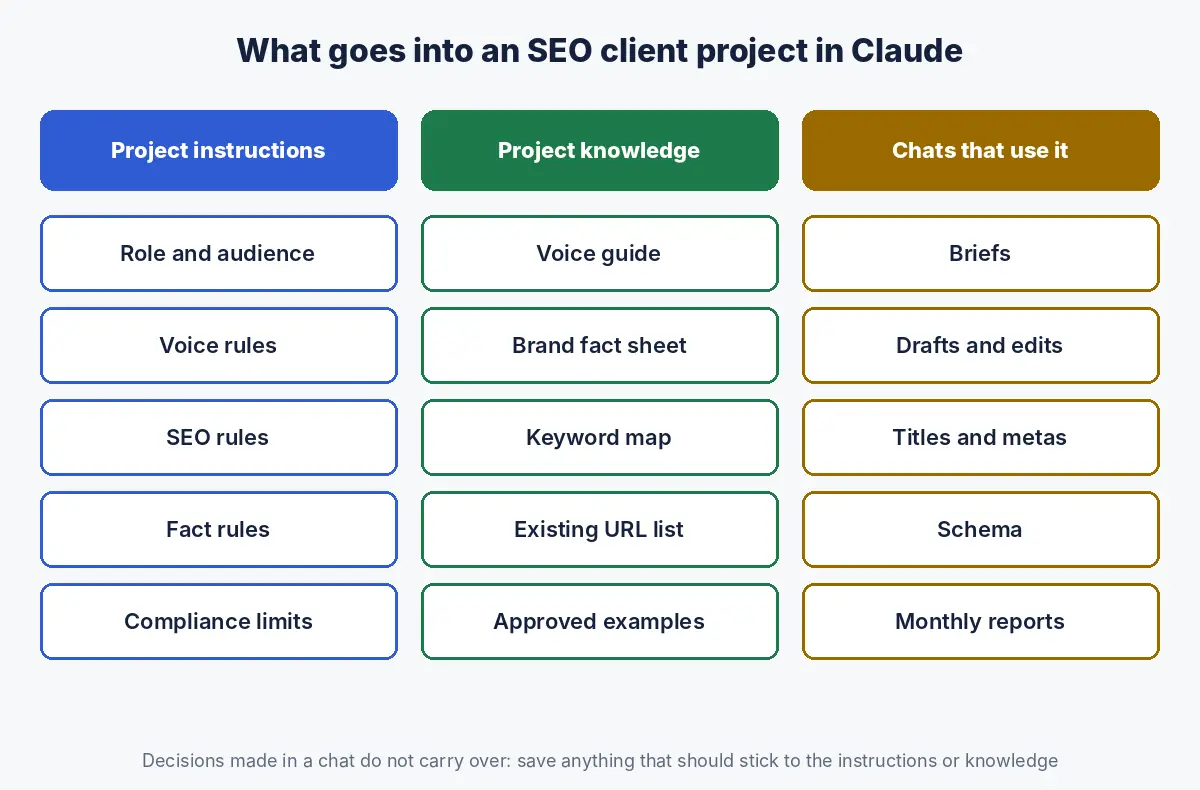
Free accounts can create up to five projects (Claude Help Center). One detail matters for teams: context from one chat is not shared with other chats in the project unless it is added to the project knowledge (Claude Help Center). If a decision should stick, put it in the knowledge or instructions, not just in a conversation.
Why do SEO and content teams need Claude Projects?
SEO and content teams need Projects because consistency, accuracy and separation between clients are the hardest things to maintain when several people use AI, and a shared project gives everyone the same standards, facts and voice by default.
| Problem without Projects | What a project fixes |
|---|---|
| Every writer pastes a different version of the brand brief | One voice guide and fact sheet used by every chat |
| Drafts repeat old prices or discontinued services | A maintained fact sheet that overrides model knowledge |
| AI suggests articles the site already has | An existing URL list with target keywords |
| New team members take weeks to learn a client | The project holds the client’s rules and history |
| Client details leak into another client’s draft | Separate projects, with account memory turned off where needed |
This guide is part of our Claude for SEO series, which covers where Projects fit alongside Skills, connectors and Claude Code.
How should you structure Projects: by client, brand or function?
For most agencies and multi brand teams, create one project per client or brand, because voice, facts and compliance rules differ by brand; add separate function projects only for shared internal work such as proposals or training.
| Structure | Best for | Watch out for |
|---|---|---|
| One project per client or brand | Agencies, multi brand companies | Keep shared methods in Skills, not copied into every project |
| One project per market or language | Brands with distinct UAE, KSA or India sites | Facts that are common across markets must stay in sync |
| One project per function (content, technical, reporting) | In house teams with one brand | Brand facts duplicated across projects |
| One project per large campaign or launch | Product launches, rebrands | Archive when done so old facts do not linger |
A practical rule: if two pieces of work would need different instructions or facts, they belong in different projects.
What should go into project instructions for SEO work?
Project instructions should define the role, the audience, the writing standards, the SEO rules, the facts Claude must never invent, and the compliance limits, written as short, specific rules rather than general aspirations.
ROLE AND AUDIENCE
You write and edit SEO content for [Brand], a [category] serving
[audience] in [markets]. Readers are [who they are, what they know].

VOICE (full guide in voice_guide.md)
- Direct, practical, confident. Short paragraphs.
- British English. No: "game changer", "unlock", "in today's
  digital landscape", "delve".

SEO RULES
- Each H2 is a question a buyer would ask, answered in its
  first one or two sentences.
- Check existing_urls.csv before proposing a new page.
- Internal links only to URLs in existing_urls.csv.

FACTS
- Prices, services, locations and team names come only from
  fact_sheet.md. If something is not there, write [CHECK].
- Every statistic needs a source link. Never estimate.

COMPLIANCE
- [Industry rules, e.g. no superlatives or guaranteed results
  for healthcare; no return promises for financial services.]
Keep instructions short enough that every line is followed; move detail into knowledge files and point to them by name.
What should go into project knowledge for an SEO client?
Project knowledge should hold the reference material every task needs: a voice guide, a brand fact sheet, the keyword map, the list of existing URLs, the content brief template, compliance notes and two or three examples of approved content.
| File | Purpose | Update when |
|---|---|---|
| voice_guide.md | How the brand sounds, with good and bad examples | Brand changes; quarterly review |
| fact_sheet.md | Services, prices, locations, people, credentials | Any change; monthly check |
| keyword_map.csv | Target keywords, intent and assigned URL | After keyword research |
| existing_urls.csv | Every live URL with title and primary keyword | Monthly, from a crawl |
| brief_template.md | Standard brief structure | When the process changes |
| compliance.md | Regulatory and legal limits on claims | When rules change |
| approved_examples.md | Two or three pieces the client loved | When better examples exist |
The fact sheet is the most valuable file and the one most often missing. Our guide to writing a brand fact sheet LLMs repeat correctly gives a structure that works for both your own drafting and external AI visibility. For the brief template, see our content brief template.
How do you capture brand voice so Claude’s drafts sound right?
Capture brand voice with a short guide that describes the voice in a few traits, shows paired examples of on brand and off brand sentences, lists words the brand uses and avoids, and includes real approved passages for Claude to imitate.
VOICE GUIDE: [Brand]

Three traits
1. Expert, not academic: explain like a senior practitioner.
2. Specific: numbers, names and examples over adjectives.
3. Calm: no hype, no exclamation marks.

On brand / off brand
ON:  "Most clinics see results in three to six sessions."
OFF: "Experience amazing, life changing results!"
ON:  "We file VAT returns for 140 trading companies in Dubai."
OFF: "We are a leading provider of innovative solutions."

Vocabulary
Use: clients, practitioners, plan, fix, evidence
Avoid: solutions, synergy, cutting edge, world class

Examples of approved writing: see approved_examples.md
Paired examples teach voice far better than adjectives. “Friendly but professional” means something different to every writer and every model; two contrasting sentences do not.
How do you keep client knowledge accurate and current?
Keep project knowledge accurate by naming an owner for each file, dating every update, reviewing the fact sheet monthly and the rest quarterly, and replacing files rather than stacking new versions beside old ones.
- One version per file. If both fact_sheet_v2 and fact_sheet_v3 are in the project, Claude may use either.
- Date the content, not just the file name: “Prices checked 1 November 2026” at the top.
- Review cadence. Fact sheet monthly; URL list monthly from a crawl; voice guide and compliance notes quarterly.
- Watch capacity. On paid plans, large knowledge bases switch to retrieval, where Claude searches the knowledge for relevant passages rather than reading everything (Claude Help Center). Clear, well titled files are easier to retrieve from than one huge document.
- Fact check output anyway. Google’s guidance asks publishers to fact check and review AI generated content before publishing (Google Search Central); good project knowledge reduces errors but does not remove them.
How do Projects, Skills and memory work together?
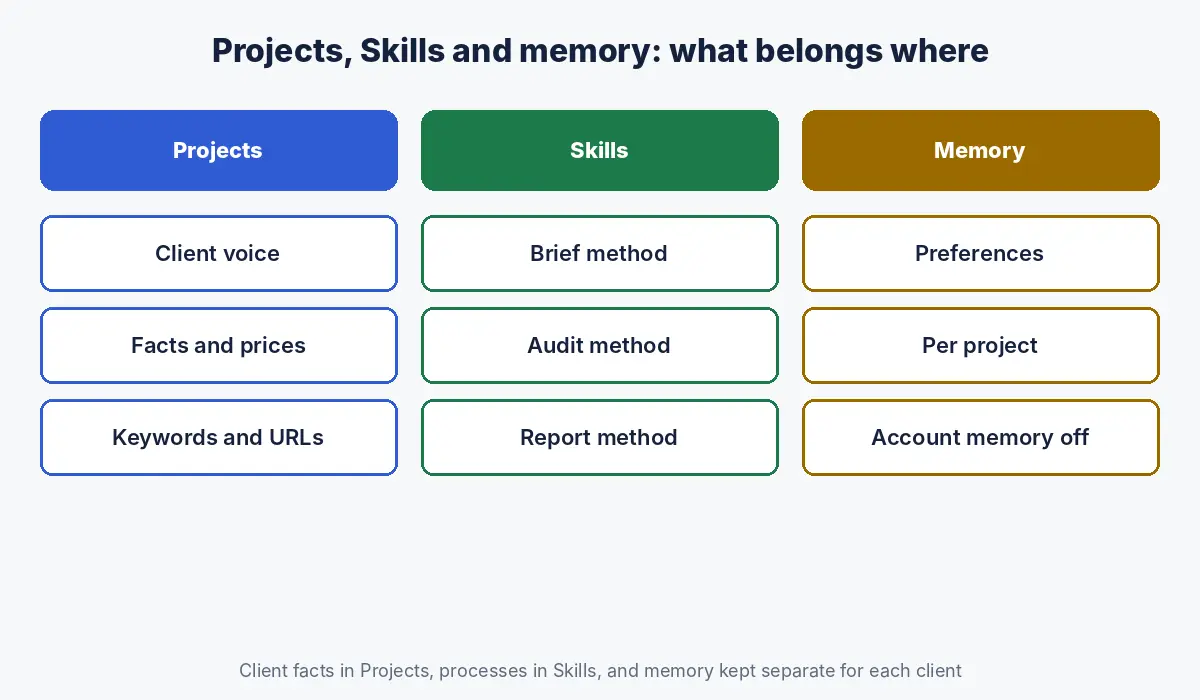
Projects hold a client’s context, Skills hold reusable methods, and memory holds what Claude learns from conversations; for SEO teams the clean split is client facts in Projects, processes in Skills, and memory limited so it never mixes clients.
| Projects | Skills | Memory | |
|---|---|---|---|
| Holds | Brand voice, facts, keyword map, URLs | Brief, audit, schema and report methods | Preferences and context Claude picks up from chats |
| Scope | One client or brand | Any project where installed | Per project, plus account memory unless turned off |
| Who maintains it | Account lead for that client | Head of SEO or operations | Mostly automatic; review regularly |
| Risk | Outdated facts | Inconsistent steps if not tested | Context from one area appearing in another |
Each project has its own memory, and inside a project Claude uses that project’s memory plus your account memory from non project chats; you can turn off “Use account memory” for a project to separate it fully (Claude Help Center). For agencies, turning that off on client projects is a sensible default. To package the methods themselves, see our guide to Claude Skills for SEO.
How should agencies set up Claude Projects for multiple clients?
Agencies should give each client its own project with a named owner, share it only with the people on that account, separate project memory from account memory, keep shared processes in Skills, and archive projects when engagements end.
- Create one project per client, named consistently, for example “Client name: SEO and content”.
- Write instructions from a standard agency template, then adapt voice, facts and compliance per client.
- On Team and Enterprise plans, share with account members as Can edit and with occasional contributors as Can view (Claude Help Center).
- Turn off account memory for client projects so nothing from one client carries into another.
- Install shared Skills for briefs, audits and reports; on Team and Enterprise plans, owners can provision skills for the whole organisation (Claude Help Center).
- Archive the project when the engagement ends; archived projects keep their knowledge and permissions until deleted.
What data should not go into a Claude Project?
Keep credentials, personal data, unreleased financial information and anything your client contract restricts out of Claude Projects, and check that your plan and organisation settings match your clients’ data requirements before uploading their material.
- No passwords, API keys or login details, ever.
- No customer lists, patient data or other personal information.
- No material under NDA unless your agreement with the client allows processing with AI tools.
- Check your organisation’s data and retention settings and your plan’s terms; business plans exist for this reason.
What are the common mistakes with Claude Projects for SEO?
| Mistake | Fix |
|---|---|
| One big project for every client | One project per client or brand |
| Instructions written as vague values | Short, specific rules with examples |
| No fact sheet, so Claude fills gaps from memory | Maintained fact sheet and a [CHECK] rule |
| Old and new versions of files side by side | Replace files; date the content |
| Decisions made in chats but never saved | Add them to instructions or knowledge |
| Account memory mixing clients | Turn off account memory for client projects |
How Crawl To Click sets up Claude Projects for SEO teams
Crawl To Click is an SEO and AI visibility consultancy, and every engagement we run starts with a project that holds the client’s voice guide, fact sheet, keyword map, live URL list and compliance notes, with instructions written as short, testable rules. We help agencies and in house teams build the same structure: a standard instruction template, a review cadence for knowledge files, separation between clients, and Skills for the methods that repeat. We have set this up for teams writing for software, healthcare, education, property, ecommerce and professional services brands in the UAE and India.
FAQs on Claude Projects for SEO
What are Claude Projects used for in SEO?
Claude Projects hold the context SEO work needs for a specific brand or client, such as voice guidelines, product and pricing facts, keyword maps, existing URLs and compliance rules, so every brief, draft and report in that project follows the same standards.
How many Claude Projects can I create?
Free Claude accounts can create up to five projects. Paid plans allow more projects and can expand project knowledge capacity by up to ten times through retrieval when knowledge approaches the context limit.
Can I share a Claude Project with my team?
Yes, on Team and Enterprise plans. Projects can be shared with individual colleagues as Can view or Can edit, or with the whole organisation, unless an administrator has disabled sharing.
Should agencies use one Claude Project per client?
Yes. One project per client keeps each client’s voice, facts and rules separate, and turning off account memory for client projects prevents information from one client appearing in another’s work.
What is the difference between Claude Projects and Skills?
Projects hold context for one brand or client, such as guidelines and facts. Skills hold reusable methods, such as how to write a brief or run an audit, that can be used in any project where they are installed.
How do I make Claude write in my brand voice?
Add a short voice guide to the project knowledge with three or four voice traits, paired examples of on brand and off brand sentences, words to use and avoid, and two or three approved pieces of writing, then reference it in the project instructions.
Want Claude set up properly for your content team?
Voice guides, fact sheets and instructions that actually change the output take a few days to get right. Let’s talk about setting it up for your team or clients.
Disclaimer: This article reflects Anthropic and Google documentation as of the dates stated. Claude features, plans and limits change over time; check Anthropic’s current help centre. Templates and examples are starting points to adapt.